Challan
How E-Challan Apps Like mParivahan Are Designed Behind the Scenes

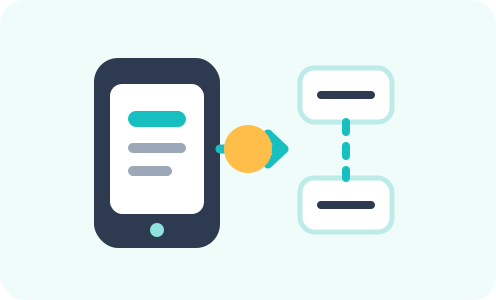
You open an app, type a number plate, and your pending fines appear in seconds. It looks simple. The system behind it is anything but.
The mparivahan technical design connects millions of vehicle records, state police systems, and a national court portal into one view. Understanding it explains why the app works as well as it does, and also why some data does not show.
This guide breaks down the echallan app architecture and the data flow behind every search. Our guide to traffic fines in India [internal link to: L1 Pillar: E-Challan and Traffic Law] covers the regulatory side.
Who Built mParivahan and Why
mParivahan is the official mobile application of the Parivahan ecosystem. The National Informatics Centre, or NIC, developed it under the Ministry of Road Transport and Highways.
The app was part of the government's Digital India push. It brought vehicle and licence services to a smartphone for the first time. Over 10 crore downloads make it one of the most used government apps in India.
NIC built the backend too. It runs on a national cloud data centre. The system is built to stay online and stay secure around the clock.
The Two Core Databases
The two databases are at the heart of how the app works. Vahan holds all vehicle data. Sarathi holds all driving licence data. Both are managed by NIC under MoRTH.
Vahan tracks every vehicle from registration to de-registration. It holds the registration number, owner details, engine and chassis numbers, insurance, fitness, and tax records.
Sarathi tracks every driving licence from test to expiry. It holds the driver's name, licence class, issue date, validity, and endorsements.
The app pulls from both in real time. Any RC or licence update in the Parivahan portal appears in the app within hours.
How the eChallan System Plugs In
The echallan app architecture connects the enforcement layer to the registration layer. When a police officer issues a challan on a handheld device, it flows into the central eChallan database.
The eChallan system identifies the vehicle owner by matching the plate to the Vahan database. The challan is then linked to the registration certificate and the owner's mobile number.
The app fetches pending challans by querying the eChallan portal using the vehicle number you enter. The result comes back in a few seconds from the central database.
This is why you can check pending challans from any device using just your vehicle number. The data is centralised at NIC's data centre and accessible through a common API.
How State Data Feeds Work
India has over 1,100 RTOs. Each one used to have its own data silo. The mparivahan technical design consolidated those silos into state registers, which then feed into the national register.
A state register sits between the local RTO and the national database. Every RTO in a state posts to its state register. The national database pulls from all state registers.
The architecture uses open APIs to let state police systems post challans to the central eChallan portal. Once posted, they become visible to anyone searching by vehicle number.
Why Some Challans Do Not Show
This is the most common complaint. A driver knows a challan was issued but cannot find it in the app. The echallan app architecture explains why.
Some state police systems have not yet fully integrated with the central portal. Challans issued through those systems live in state servers only. They do not appear in the national view.
Officer-issued spot challans on older handheld devices are another gap. If the device is offline during issue, the sync to the central server can fail or delay.
The challan may also still be in the review queue. It must pass human verification before it appears. A flag raised by a camera on Monday may not show on the portal until Wednesday.
This is explained in detail in why e-challans take days to show [internal link to: Sibling: Why E-Challans Take Days to Show Up] and why CCTVs need human review before issuing fines [internal link to: Sibling: Why CCTVs Need Human Verification Before Issuing E-Challans].
Digital Documents and Legal Validity
The app does more than check challans. It stores a digital copy of your RC and driving licence. These are legally valid under the 2019 MV Act amendment.
A police officer cannot fine you for missing a physical licence if you show the mParivahan app. The QR code must be live and visible inside the app. Screenshots are not valid.
The app also links with DigiLocker, the government's document wallet. Your RC and licence show up in DigiLocker too, giving you a second legal digital copy.
The Payment Flow for Challans
When you pay a challan in the app, the money flows through a certified gateway. Each state's Finance Department provides the payment API. NIC connects these APIs to the app.
Once the payment clears, the challan status changes to settled in the eChallan database. The VAHAN record updates within 48 to 72 hours. The block on the RC lifts automatically.
This chain is a key part of the echallan app architecture. It closes the loop from offence to payment to record update without any manual step.
How the HSRP Data Connects
High Security Registration Plates, or HSRPs, carry a laser-printed code and a chip. When a camera reads an HSRP plate, it can verify the plate against the VAHAN record much more quickly.
The mparivahan technical design benefits from this. A verified HSRP plate means fewer misread challans. The data quality in the eChallan system improves as more vehicles switch to HSRP.
Old plates with fancy fonts or unofficial layouts are harder to read. These create gaps in the echallan app architecture. The switch to HSRP is partly about fixing that gap.
Security and Authentication
Every query on mParivahan is secured by OTP verification. The app does not display sensitive owner data without a mobile number match.
The backend uses Aadhaar authentication and eKYC for licence and service applications. This reduces fraud and keeps the identity layer clean.
Payments through the app go through a payment gateway certified by the Finance Departments of each state. The receipts are court-admissible documents.
The NextGen mParivahan Upgrade
MoRTH launched a NextGen mParivahan update to address earlier limitations. The new version has a cleaner interface, faster API calls, and broader feature coverage.
It also expanded FASTag and insurance services within the app. A driver can now recharge a FASTag or check insurance expiry without switching to another platform.
The echallan app architecture in this newer version is more modular. It makes it easier to add state feeds as they come online. You can read more in our e-challan mechanics explainers [internal link to: L2 Anchor: E-Challan Mechanics sub-cluster hub], including the CCTV-to-notice pipeline [internal link to: Sibling: How E-Challans Are Generated: The CCTV-to-Notice Pipeline].
How Third Party Apps Fit In
Several third party apps also pull data from the same Parivahan APIs. They offer a cleaner interface or additional features, but the underlying data source is the same national database.
These apps use publicly available APIs under the Parivahan open data programme. They can show RC details and challan status with the same accuracy as the official app, as long as the state feed is integrated.
The mparivahan technical design sits at the centre. Any app that shows vehicle data is a window into the Vahan, Sarathi, and eChallan systems that NIC runs.
How to Get the Best from the App
Set up the app with your vehicle number. Turn on notifications. A new challan will show on your phone within days of issue.
Add your RC and DL to the digital wallet. A live copy is legally valid. It cuts the risk of a fine for missing physical documents.
Use the FASTag top-up feature to stay funded. An empty FASTag at a toll can attract double the toll charge.
What Comes Next for the App
The government plans to expand the services inside the app. Pollution certificate checks and permit renewals are in the pipeline.
Interstate challan visibility is the big gap to close. As more state systems link up, the app will show a full national picture.
Biometric login is also on the roadmap. It will cut the need for OTP at every step. The whole experience is set to get faster and simpler.
Conclusion
mParivahan is powerful, but it has limits. It cannot show challans from states that have not yet linked to the central portal.
It also cannot settle court-stage challans. Once a challan moves to vcourts.gov.in, the mParivahan app steps aside. You must use the virtual court portal to pay.
The app also relies on the mobile number linked to the vehicle. If that number is wrong or inactive, you may miss challan alerts. Keeping your registered number current is a basic but vital step.
How to Get the Best from the App
Set up the app with your vehicle number. Enable notifications. This way, a new challan appears on your phone within days of issue.
Add your RC and DL to the digital wallet section. A live copy is legally valid and cuts the risk of a fine for missing physical documents.
Use the FASTag recharge feature to stay topped up. An empty FASTag at a toll can attract a double charge.
Conclusion
The mParivahan app looks simple but rests on a large, carefully designed system. The mparivahan technical design connects thousands of RTOs, hundreds of police systems, and a national court portal into one search. The echallan app architecture is built for speed and scale, though state integration gaps still leave some data missing. Knowing how it works helps you understand what you see and what the app cannot yet show you.
Frequently Asked Questions
What is the mparivahan technical design based on?
The mparivahan technical design rests on two core databases, which are Vahan for vehicles and Sarathi for licences. It connects these to the central eChallan system through NIC-managed APIs on cloud infrastructure.
Why do some challans not show in the app?
Some state police systems are not yet fully integrated with the central portal. Challans from those systems sit in state servers only. The echallan app architecture can only show what is synced to the national database.
Is the mParivahan RC legally valid?
Yes. The in-app RC with a live QR code is legally valid under the 2019 MV Act amendment. Officers must accept it. A screenshot is not valid.
How does an e-challan reach the app?
An officer issues the challan on a device. It syncs to the central eChallan database after human review. The app then fetches it using your vehicle number. The process can take a few days.
Can I pay a challan through mParivahan?
Yes, for challans still in the standard stage. Once a challan moves to the virtual court, you must use vcourts.gov.in. The mparivahan technical design routes payments through each state's certified payment gateway.




CarInfo is your all-in-one app for all your vehicle info needs and RTO vehicle information. Now manage all your vehicles in one place. Trace your car number with owner name


Velocitypedia Private Limited, Unit 231, D21 Corporate Park, New Delhi : 110077
Follow Our Journey:
.e182ab86.svg)


Popular Hatchbacks
Download the
CarInfo App: