Rto
How to Download RC Online via Parivahan and DigiLocker

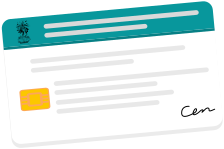
For years, the RC smart card lived in a wallet or the glovebox, a small plastic rectangle you hoped never to lose because replacing it was a chore. That anxiety is now largely unnecessary. Your Registration Certificate exists as a digital document you can download in minutes, and that digital copy is legally accepted at a traffic stop.
The catch is knowing which digital RC counts and which does not, because a screenshot of your details is worthless while a properly downloaded e-RC is as good as the card. This guide covers all three official ways to download it, explains the legal standing of the digital version, and clears up exactly what a traffic officer will and will not accept.
What is an RC (Registration Certificate)?
The Registration Certificate is the document that proves your vehicle is registered with the government and records who owns it. It is issued by the RTO when a vehicle is first registered, and it is one of the documents you are legally required to be able to produce while driving.
It carries the essential identity of the vehicle: the registration number, the owner's name, the make and model, the engine and chassis numbers, the fuel type, the date of registration, the registration validity, and, if the vehicle is financed, the name of the lender holding hypothecation. In short, it is the vehicle's identity document, the way your Aadhaar or passport is yours.
A private vehicle's registration is valid for 15 years from first registration, after which it must be renewed. Because the RC underpins insurance, challans, ownership transfer and taxation, being able to access it reliably matters, which is exactly what the digital versions solve.
Physical RC vs Digital RC (e-RC): Legal Validity
This is the question that stops people trusting the digital copy, so it is worth settling clearly. A digital RC, correctly obtained, is legally equivalent to the physical smart card.
The legal standing rests on two provisions:
Section 4 of the Information Technology Act, 2000 gives electronic records the same status as paper wherever the law requires a document in physical form.
Rule 139 of the Central Motor Vehicles Rules, 1989 places documents held in the government's approved apps on the same footing as physical copies for production at a check.
Alongside these, a MoRTH advisory of August 2018 directs traffic enforcement officers across every state to accept documents shown through DigiLocker and mParivahan as equivalent to the original.
But the distinction that matters is this:
Legally valid: the e-RC downloaded from Parivahan, or the live document shown inside DigiLocker or mParivahan. These carry a digital signature and a QR code the officer can scan and verify against the government database.
Not valid: a photograph or screenshot of your physical RC, or an image saved in your gallery. None of these can be verified, all can be edited, and an officer may reasonably refuse them.
So the physical card and a proper digital RC are equally acceptable. What is not acceptable is a casual photo pretending to be one. Get the real digital document once and you never need to worry about carrying the card.
How to Download via the Parivahan Portal
The Parivahan portal is the source system for your registration record, so downloading the e-RC from there gives you the authoritative document.
Go to parivahan.gov.in and sign in, or create an account using your mobile number if you do not have one.
Open Online Services, then Vehicle Related Services, and select your state and RTO.
Enter your vehicle registration number and verify with the OTP sent to your registered mobile.
Find the RC download or print option under your vehicle's services. You may be asked for the last few digits of your chassis number to confirm.
Download the e-RC as a PDF, which carries the digital signature that gives it legal weight.
The one requirement here is that your mobile number is the one registered against the vehicle, since the OTP goes there. If your number has changed, you will need to update it in the records first, or use the DigiLocker route below, which authenticates through Aadhaar instead.
How to Download via DigiLocker
DigiLocker is the government's official document wallet, and for most people it is the smoothest route, because your RC is often already sitting there without you having done anything.
Install DigiLocker from the Play Store or App Store, or open digilocker.gov.in, and sign in with your Aadhaar-linked mobile number and an OTP.
Check the Issued Documents tab. The RC is pushed automatically from the Vahan database for many users, so it may already be listed.
If it is not there, search for it. Look for the Ministry of Road Transport and Highways, select Registration Certificate, and enter your registration and chassis number.
Fetch the document, which DigiLocker pulls directly from the Vahan database as a digitally signed e-RC.
Access it offline. Once fetched, the document is cached, so it works at a checkpoint even without a signal.
The DigiLocker version carries the issuer's digital signature and a verifiable QR code, which is what gives it the same standing as the physical card. Because it authenticates through Aadhaar rather than the vehicle's registered mobile, it is also the reliable route when your registered phone number is out of date.
How to Download via mParivahan
mParivahan is the MoRTH's dedicated transport app, and it generates a virtual RC from the Vahan database. It is handy if you want vehicle services and document access in one transport-specific place.
Install mParivahan from the Play Store or App Store and sign in with your mobile number.
Use the RC search or Add Vehicle option and enter your registration number.
Add it to your dashboard as a virtual RC, which links the record to your profile.
Show it live at a check by opening the virtual RC inside the app, where the QR code can be verified.
There is also a quick way to simply view your registration record without adding it to an app. Looking up the RC details for your number plate returns the record held against the vehicle, including owner name, registration validity, insurance status and PUC status, drawn from the same Vahan database. That is useful for a fast check of what is on record, while the official apps above are what you download the legally valid document from. Apps such as CarInfo also flag when your insurance or PUC is close to expiry.
Why Keeping a Digital RC Is Worth the Few Minutes
It is easy to treat downloading the RC as a chore for later, right up until the moment you need it and cannot find the card. A little foresight here saves a genuine headache.
Consider the situations where the physical card lets you down. It can be lost or stolen along with a wallet, leaving you with no proof until a replacement arrives. It can be sitting at home when a traffic officer stops you across town. It can be locked in a vehicle you no longer have access to. In each case, a digital RC already saved in DigiLocker or mParivahan means you produce the document in seconds from your phone, with nothing to retrieve and nothing to explain.
There is a second, quieter benefit. When you download the e-RC, you get to read exactly what the government holds against your vehicle, and data-entry errors are more common than people expect. A misspelt name, a wrong chassis digit, or an address that was never updated after a move can all sit unnoticed on the record until they cause trouble at a transfer or an insurance claim. Pulling the digital RC once gives you the chance to catch these early, while they are easy to correct, rather than discovering them at the worst possible moment.
For a household with more than one vehicle, the case is stronger still. Fetch the RC for each of them into DigiLocker in one sitting, and every vehicle's registration is then a couple of taps away for whoever is driving, permanently. The few minutes it takes is a genuinely one-time cost.
Is a Downloaded RC Valid Proof at a Traffic Stop
The short answer is yes, provided it is the right kind of downloaded RC. This is the practical heart of the article, so here it is laid out plainly.
|
What you show |
Accepted? |
Why |
|---|---|---|
|
e-RC downloaded from Parivahan |
Yes |
Carries the digital signature of the issuing authority |
|
RC shown live in DigiLocker (Issued) |
Yes |
Digitally signed, with a QR code the officer can verify |
|
Virtual RC shown live in mParivahan |
Yes |
Generated from the Vahan database and verifiable |
|
Original physical smart card |
Yes |
The card issued by the RTO |
|
Screenshot or photo of the RC |
No |
Cannot be verified against the database, and can be edited |
|
A printout of a screenshot |
No |
A copy of an unverifiable image is still unverifiable |
The mechanism behind the yes column is the QR code. When an officer scans it on the e-challan device, it decrypts against the Vahan database and confirms the document is genuine, current and tied to the vehicle in front of them. A screenshot has no working QR code to scan, which is precisely why it fails.
So the rule to remember is simple: open the document live inside the official app, or produce the signed PDF from Parivahan. Do not rely on a picture in your gallery. If an officer is unfamiliar with the digital document, you can politely point to the MoRTH advisory of August 2018 and Rule 139 of the CMVR, which require them to accept it.
FAQs
1. Can I download my RC online?
Yes. You can download the digital RC from the Parivahan portal, fetch it into DigiLocker, or generate a virtual RC in mParivahan. All three produce a legally valid document, unlike a screenshot of the physical card.
2. Is a digital RC valid at a traffic stop?
Yes, when it is the e-RC from Parivahan or the live document in DigiLocker or mParivahan. These carry a digital signature and a verifiable QR code. A photo or screenshot of the RC is not accepted, because it cannot be verified.
3. What is the difference between a physical RC and an e-RC?
The physical RC is the smart card issued by the RTO. The e-RC is the digitally signed electronic version. Both are legally equivalent for production at a check, under Section 4 of the IT Act, Rule 139 of the CMVR, and an MoRTH advisory of 2018.
4. How do I download my RC from DigiLocker?
Sign in with your Aadhaar-linked mobile number, check the Issued Documents tab where the RC is often already present, and if not, search for it under the Ministry of Road Transport and Highways and enter your registration and chassis number to fetch it.
5. My registered mobile number has changed. Can I still download my RC?
Yes, through DigiLocker, which authenticates via your Aadhaar-linked mobile rather than the number registered against the vehicle. The Parivahan portal sends its OTP to the vehicle's registered number, so update that first if you use that route.
6. Does the digital RC work without internet at a checkpoint?
Yes. Once fetched, DigiLocker and mParivahan cache the document so it can be shown offline. Fetching it for the first time requires a connection.
7. Is a screenshot of my RC acceptable to traffic police?
No. A screenshot or photo cannot be verified against the database and can be edited, so officers are entitled to refuse it. Only the live document in an official app or the signed PDF from Parivahan carries legal weight.
8. Do I still need to carry the physical RC card?
Not for a traffic check, if you have the e-RC in DigiLocker or mParivahan. Many people keep the card filed at home for reference, but the digital version is sufficient to produce on the road.
9. Can I download the RC for a vehicle that is not mine?
You can view the public registration record of any vehicle by its number, showing details like the RTO and validity. But downloading the actual signed RC document requires being the owner and authenticating as them.
10. Is there a fee to download my RC online?
Viewing and downloading your own digital RC through DigiLocker or mParivahan is free. The Parivahan portal may levy a small charge for certain document services depending on the state.





CarInfo is your all-in-one app for all your vehicle info needs and RTO vehicle information. Now manage all your vehicles in one place. Trace your car number with owner name


Velocitypedia Private Limited, Unit 231, D21 Corporate Park, New Delhi : 110077
Follow Our Journey:
.e182ab86.svg)


Popular Hatchbacks
Download the
CarInfo App: